––––– UX|UI case study · 7 min read
Improving customer engagement for Stylebop
e-commerce-luxury online shop,
––––– My Role: Product designer
I was asked to improve customer engagement by creating a new feature 'wishlist'
––––– Deliverables
High-Fidelity Prototype
Design Specifications
User Flows
––––– Tools Used
Figma
Miro
Useberry

Some Stylebop views
––––– Challenge
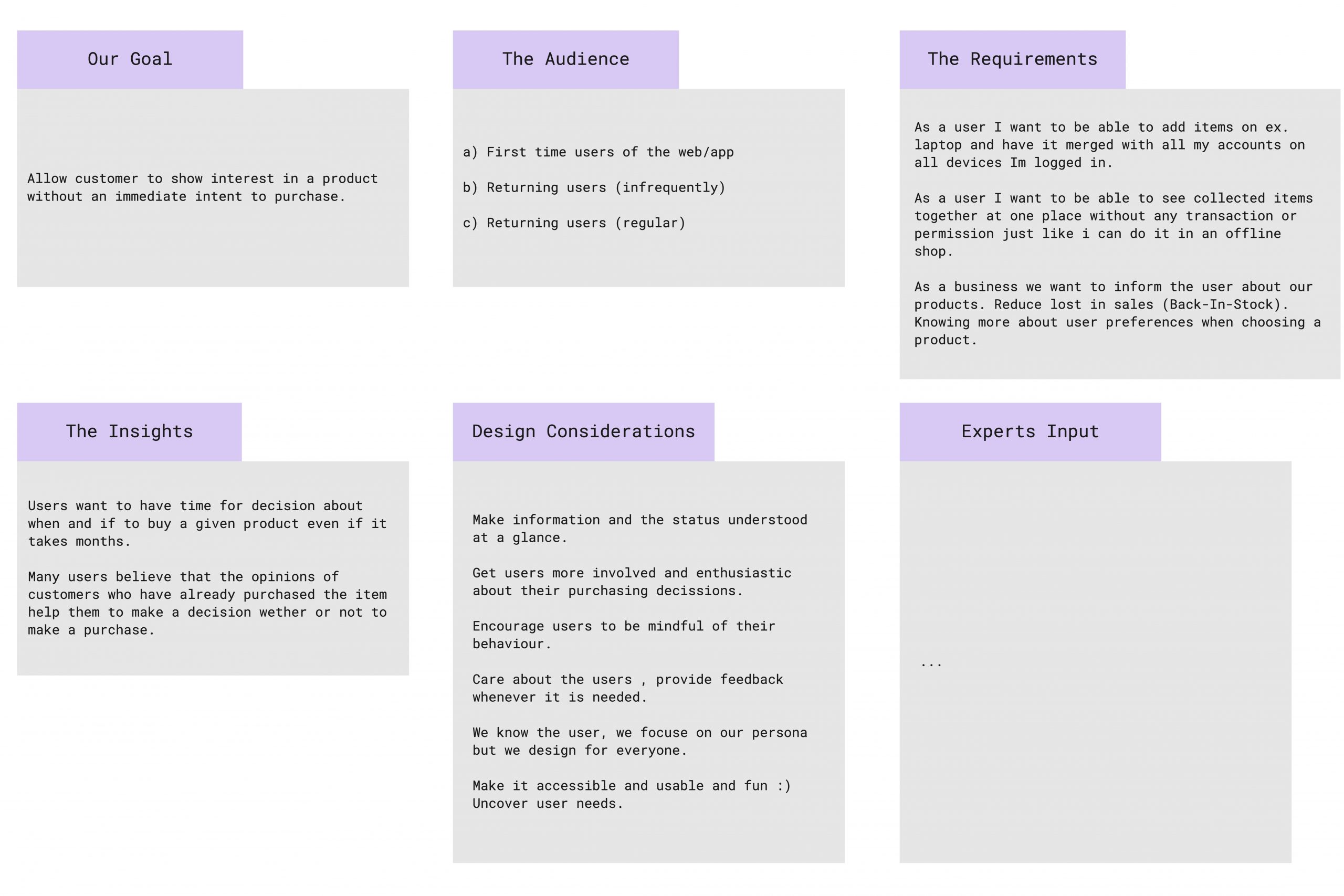
Our main goal was to allow the customers to show interest in the product without an immediate intent to purchase. The main challenge was to understand current user problems and obstacles, answer critical business questions through design, rapid design prototyping, and testing ideas. Consider Web and APP special requirements.
The Audience :
- 1st time users of the web/app
- Returning users (infrequently)
- Returning users (regular)
––––– Solution
During our discovery phase, we have found that.
- Barriers take place when the user has the strongest motivation - checkout.
- Before the purchase, the user is either gaining motivation or waiting for an opportunity to get the item - sometimes it can take months, and this is ok.
- Once the user makes a decision to get the items, registration seems less annoying.
- Just as you can collect and fit items together at any offline shop you should be able to see items online together at some place without any transaction or permission.
As a solution, we have come up with the wishlist, which would allow for :
- possibility of making a decision when the user wants to buy a particular clothing item.
- educating users more about the products, e.g., discounts.
- to raise awareness of the brand and promote the products
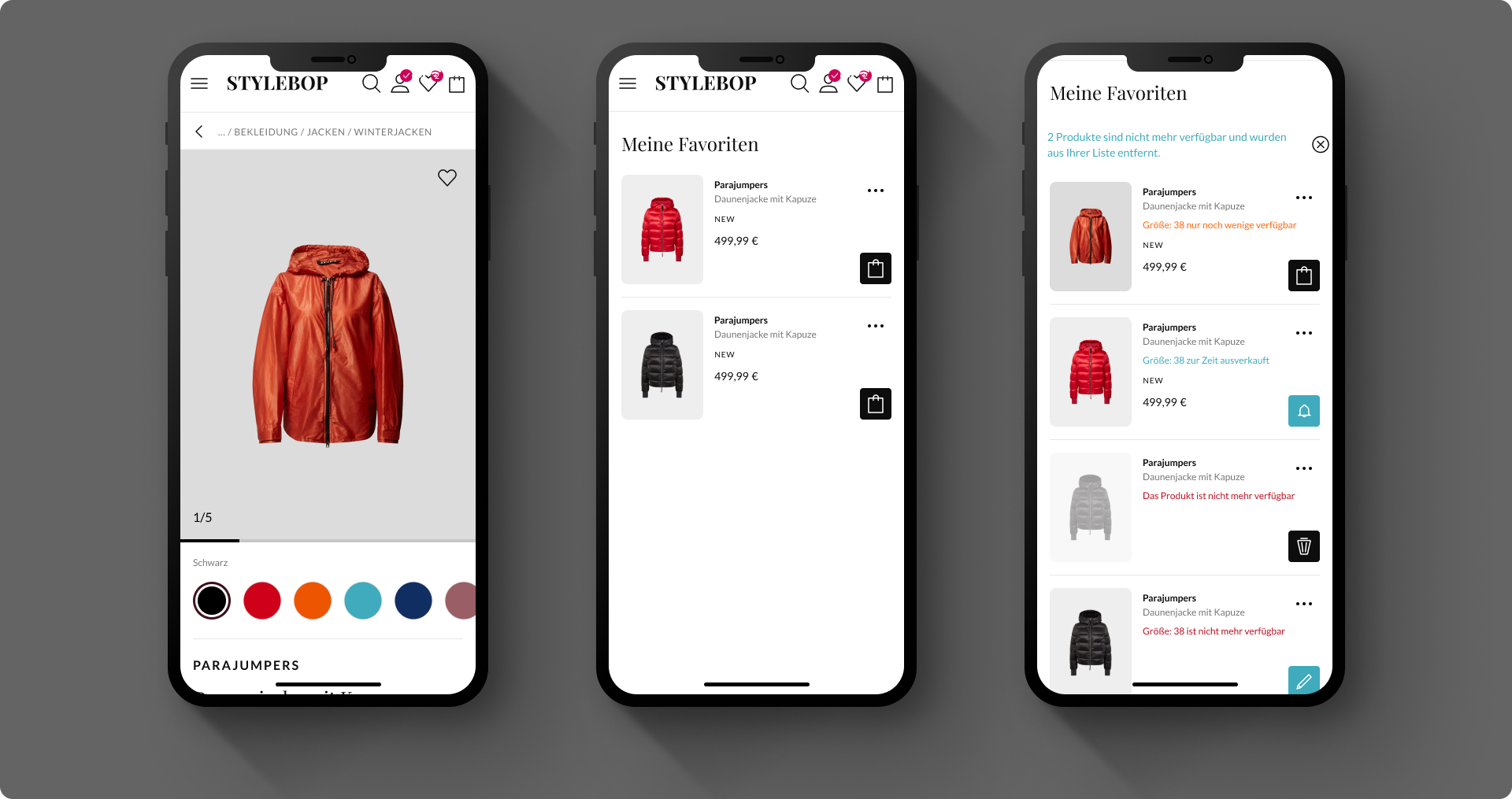
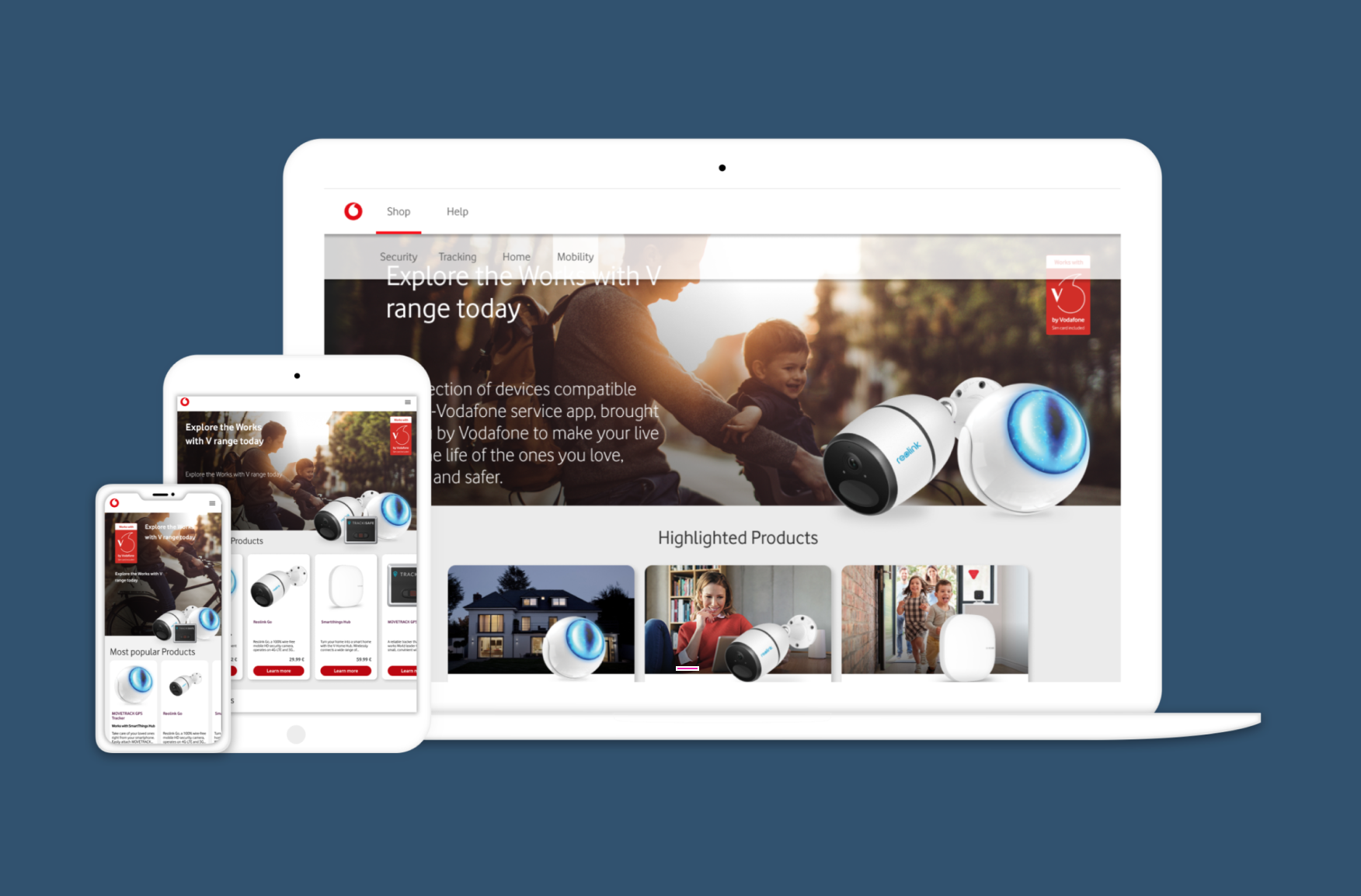
Mobile view: PDP, Wishlist, Statuses of products in the Wishlist - mobile views
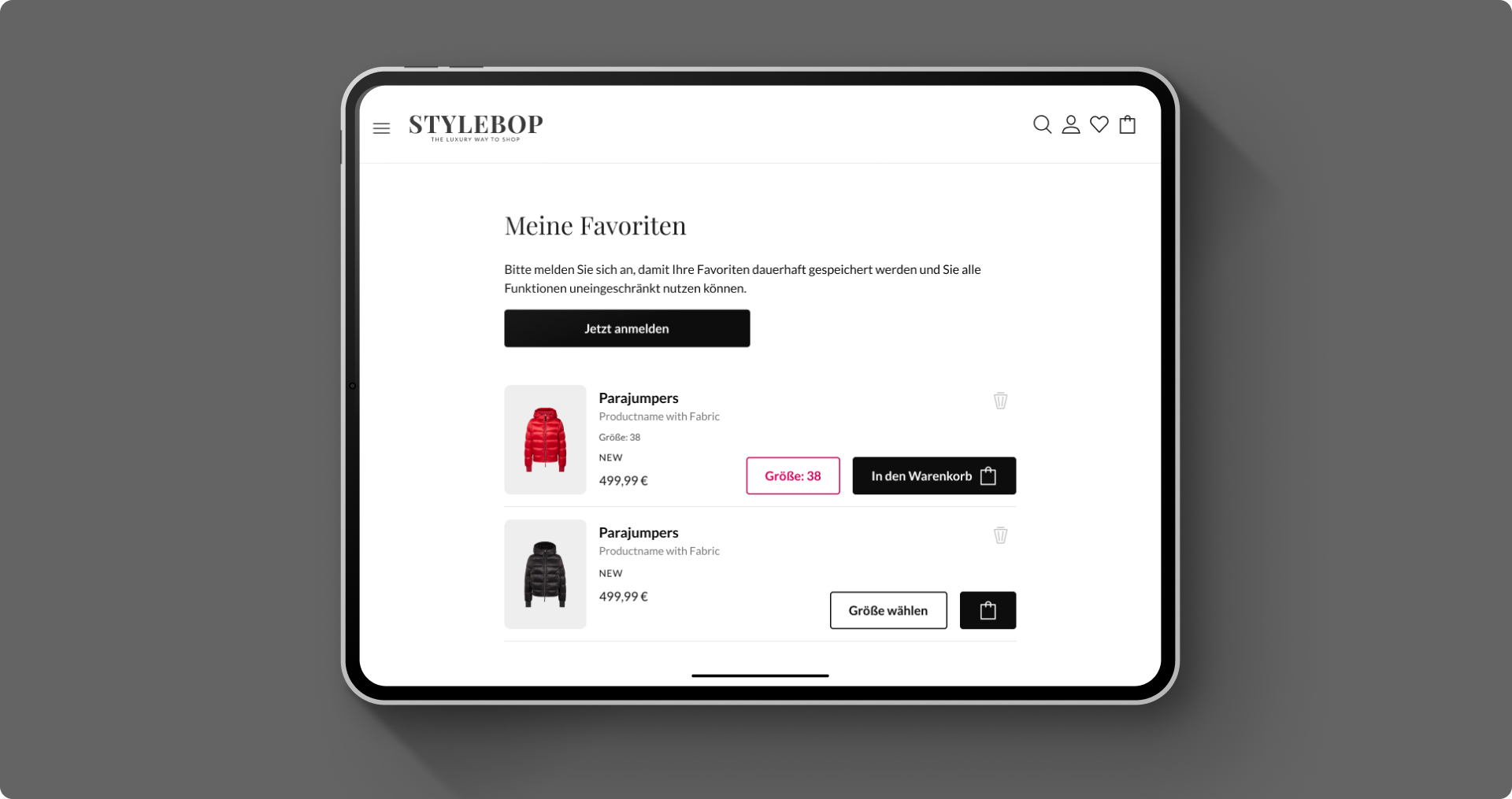
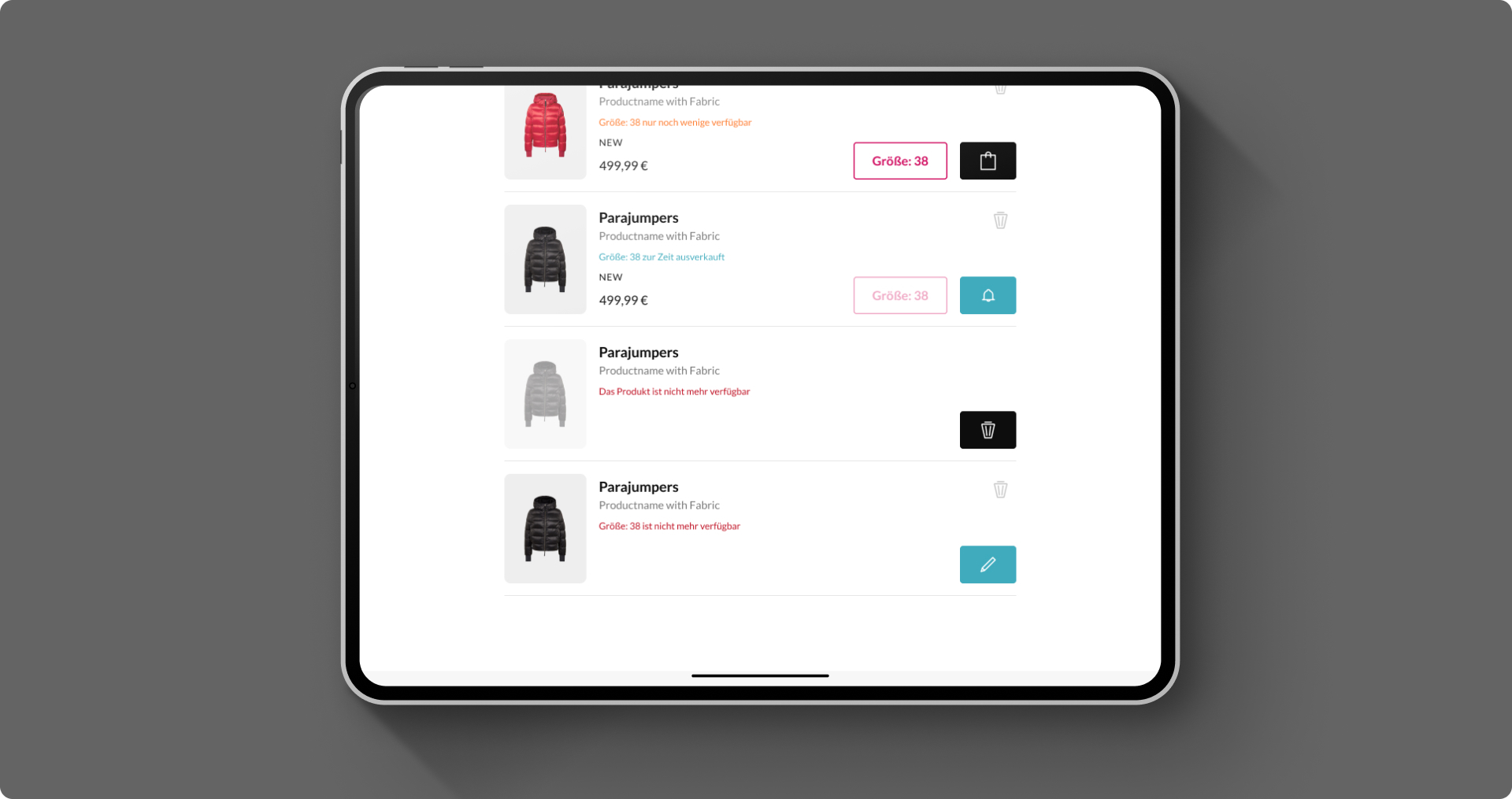
Tablet view: Product not saved view and statuses of the products view
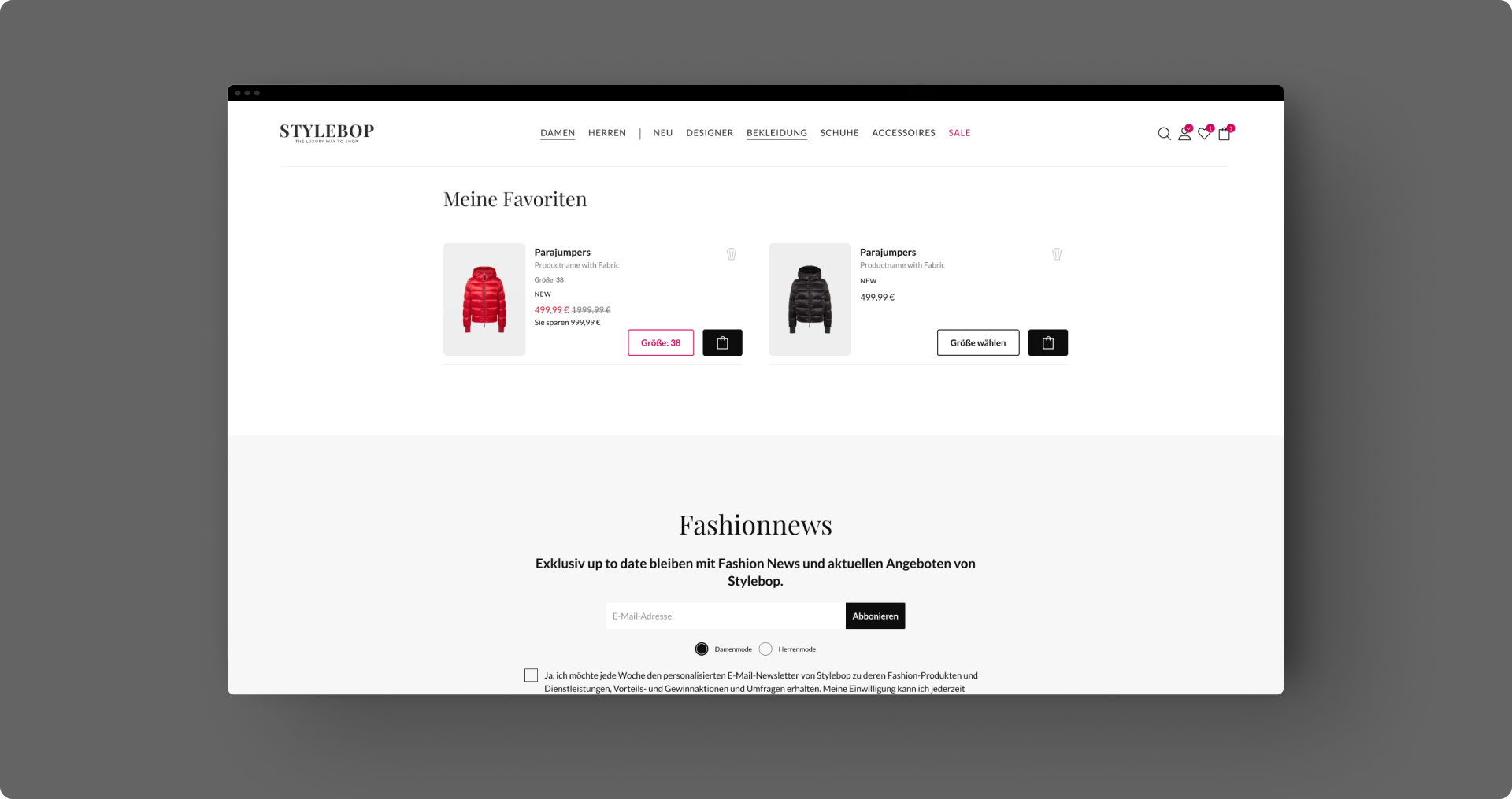
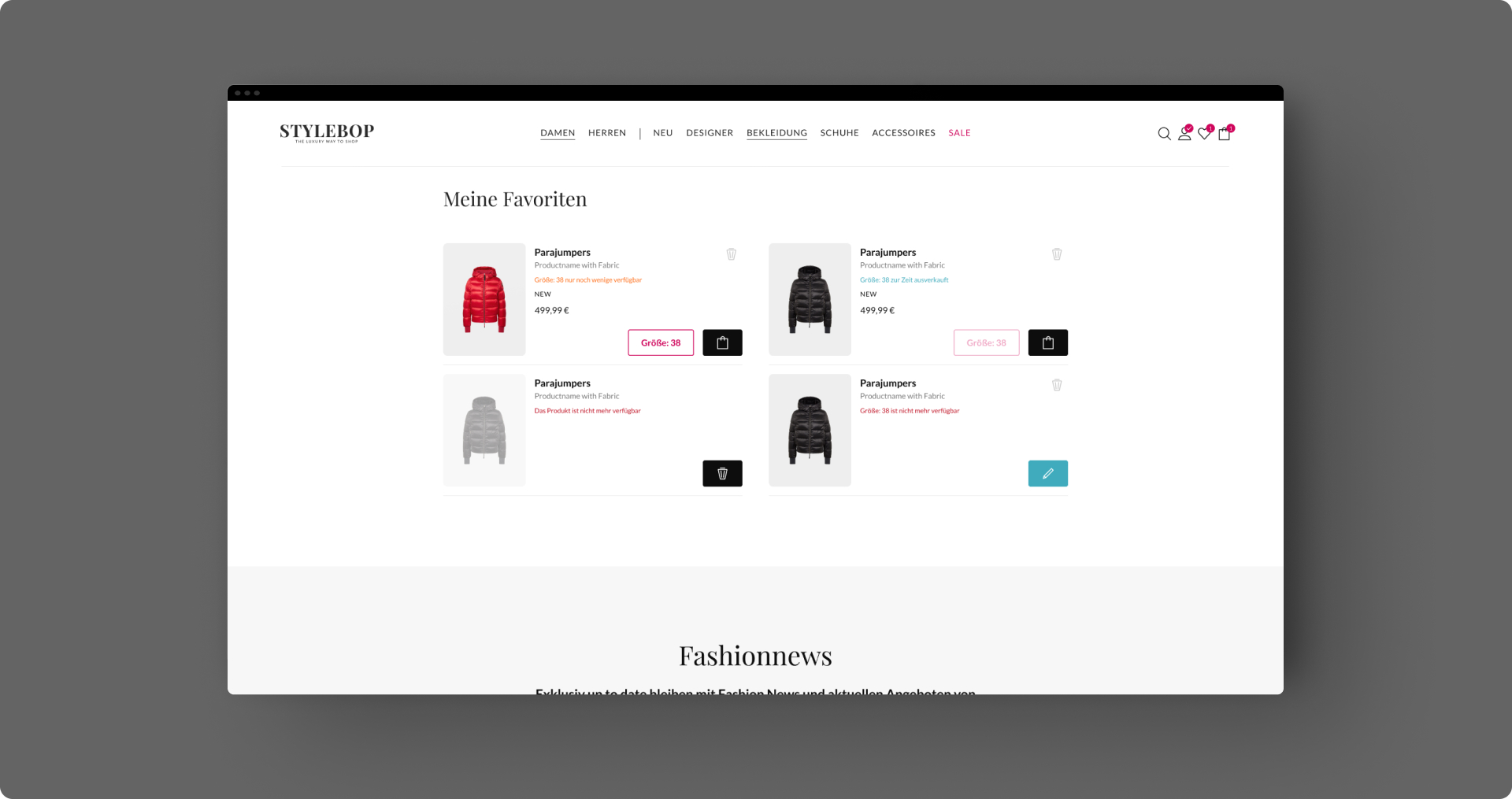
Desktop view: Product saved view and statuses of the products view


Figma Design Specifications
––––– Workshop
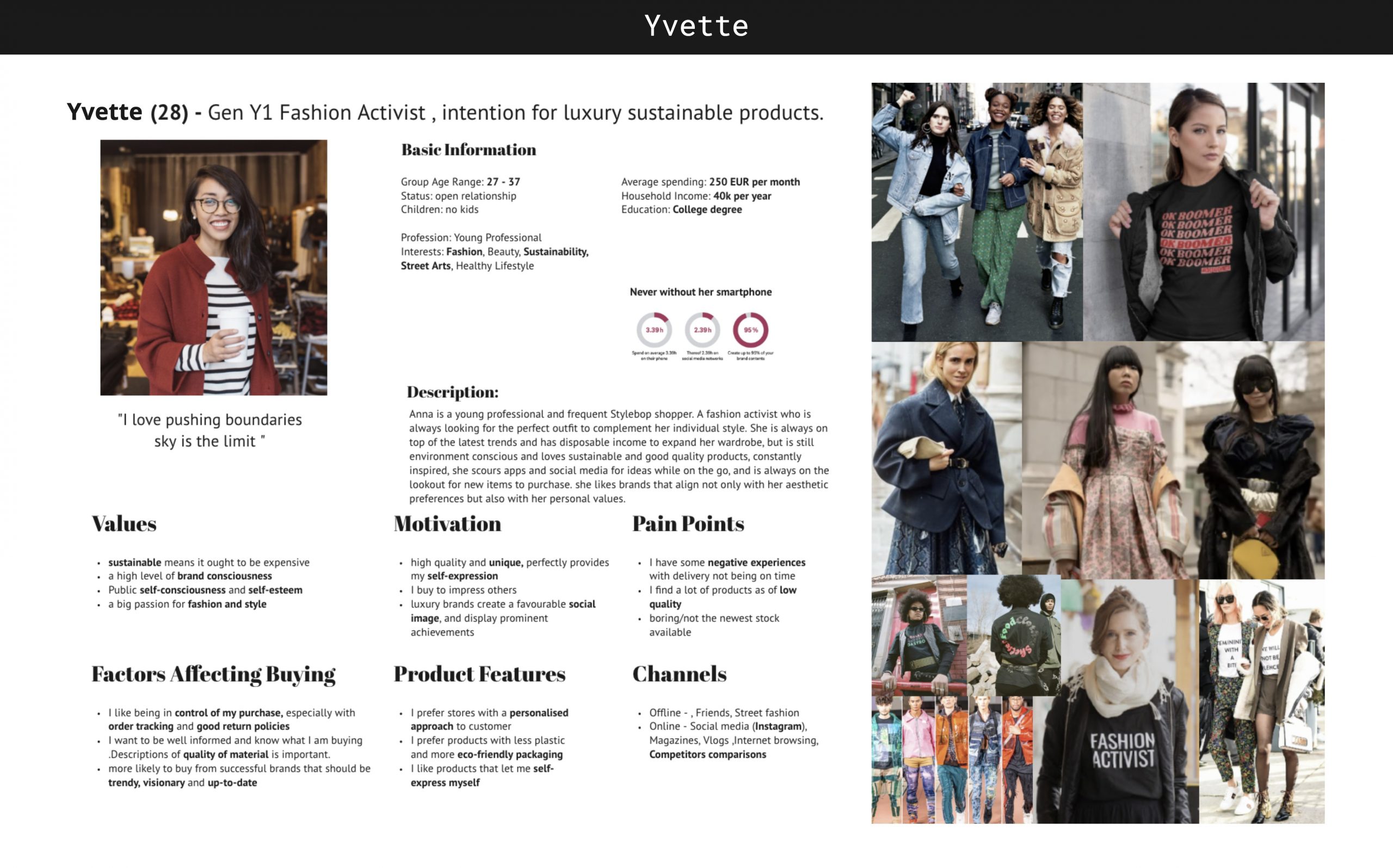
The pictures below present the wishlist workshop I have facilitated. We gathered together with different stakeholders: app designer, business colleagues, POs, and developers, and based on the main persona, we have identified the elements and functionality of the wishlist. Methods used for the workshop: the combination of design studio and design sprint.
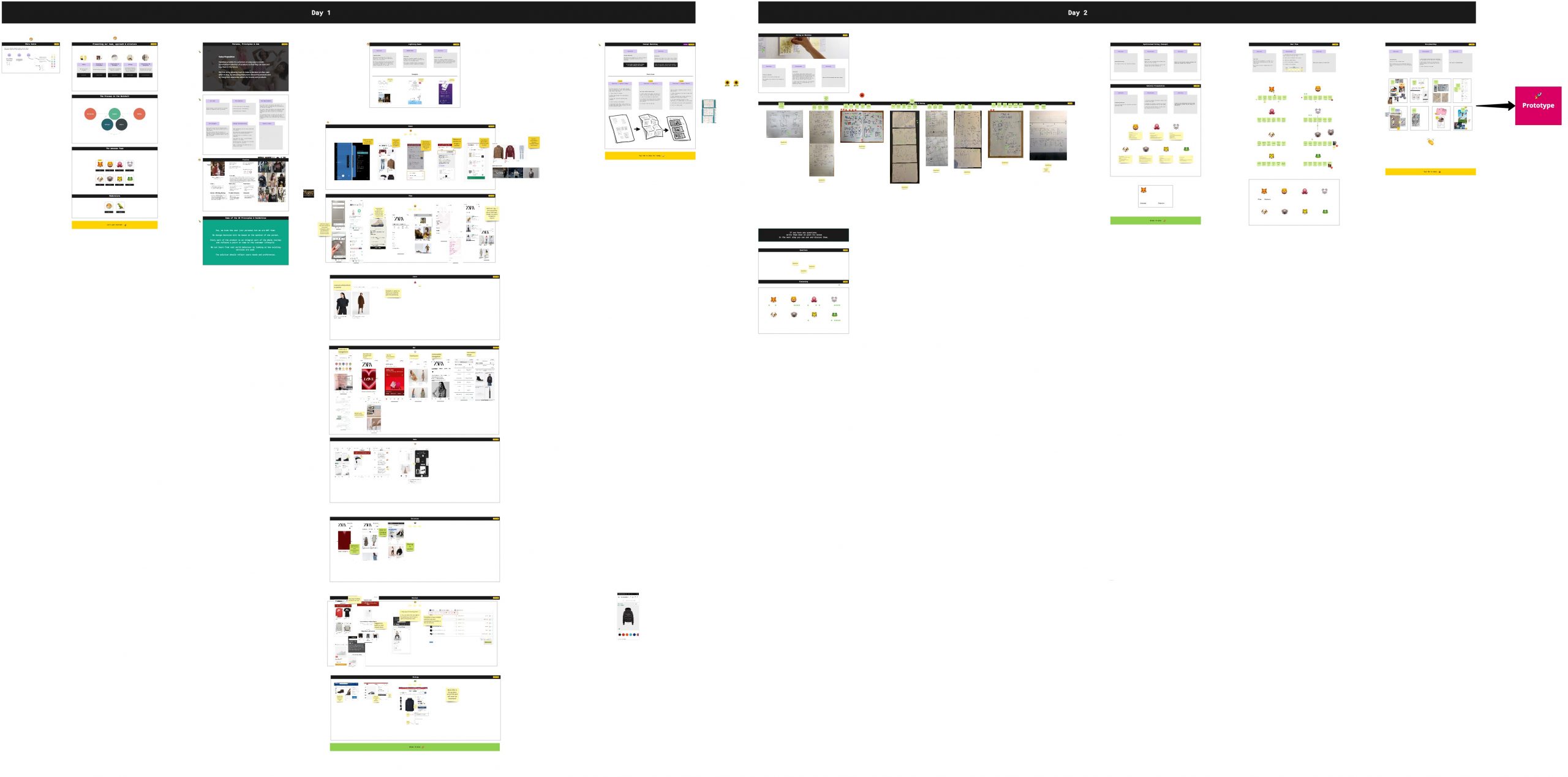
Miro Wishlist Workshop
––––– User Story Mapping
We have mapped the jobs of the user and decided which of them are to be taken first for MVP and which of them are to be tackled in the next iterations
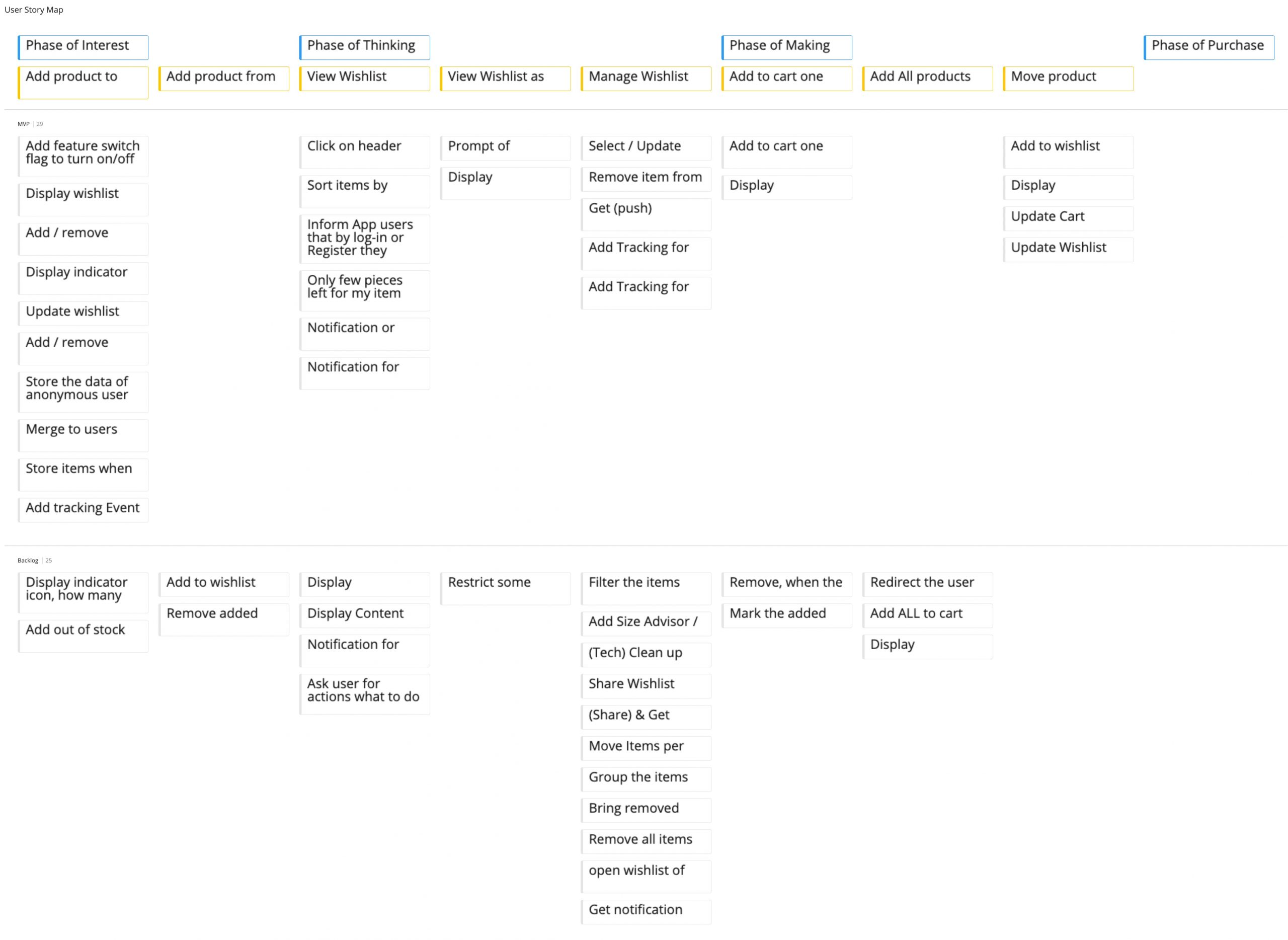
User Story Map
––––– Usability Testing
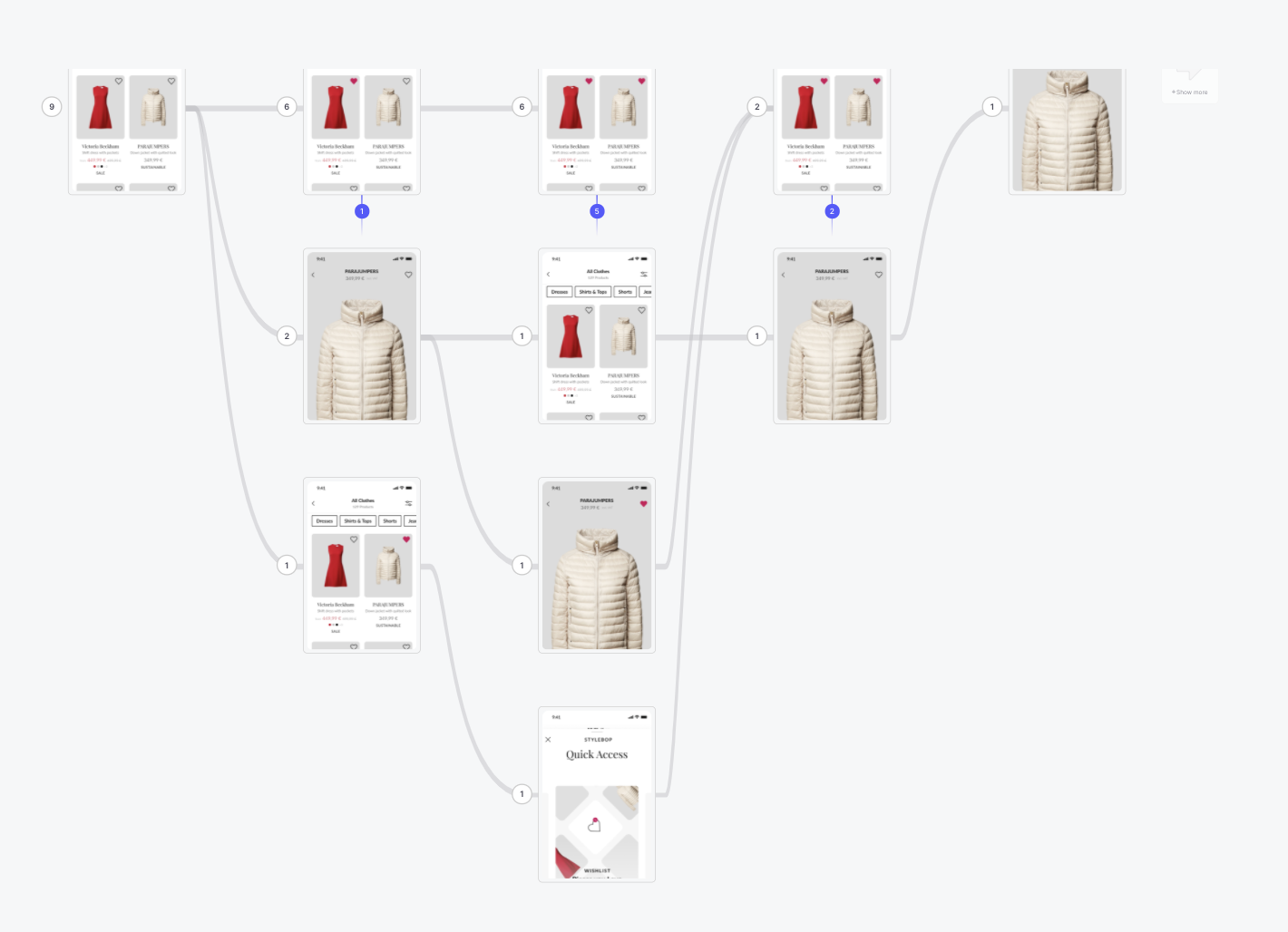
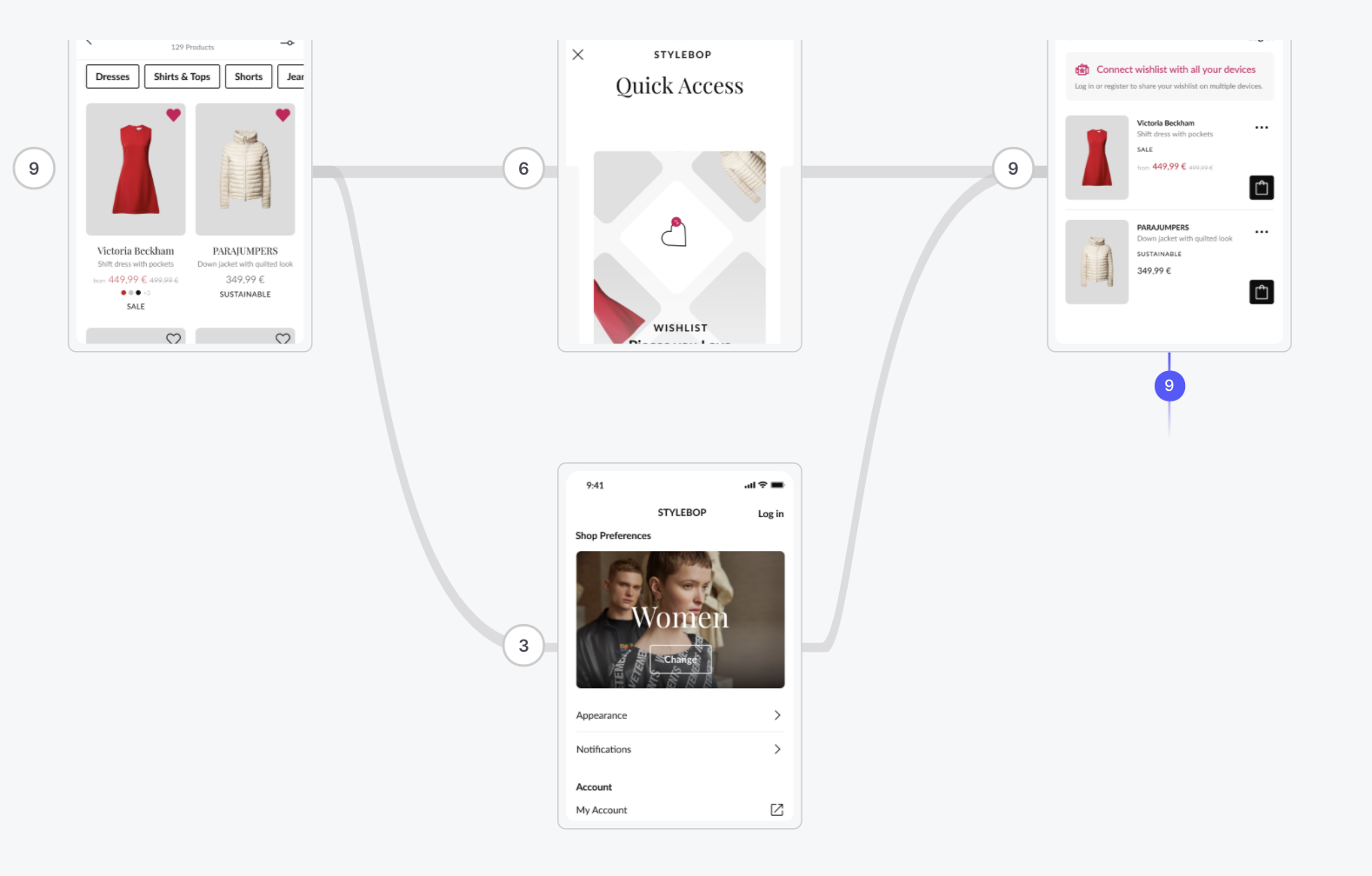
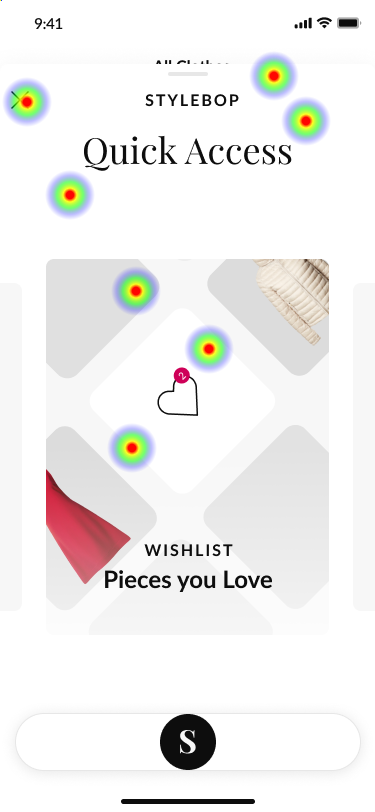
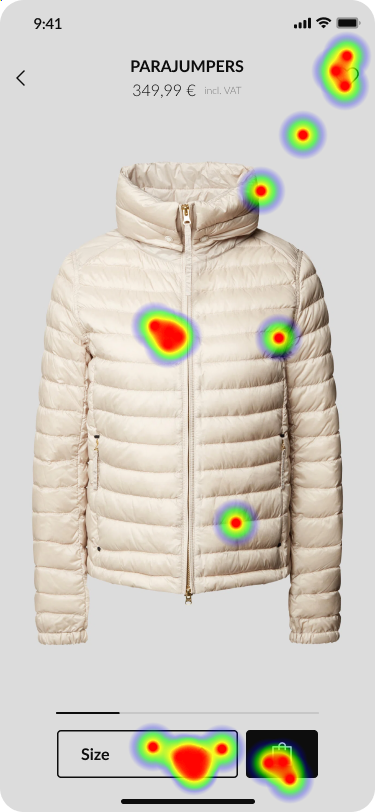
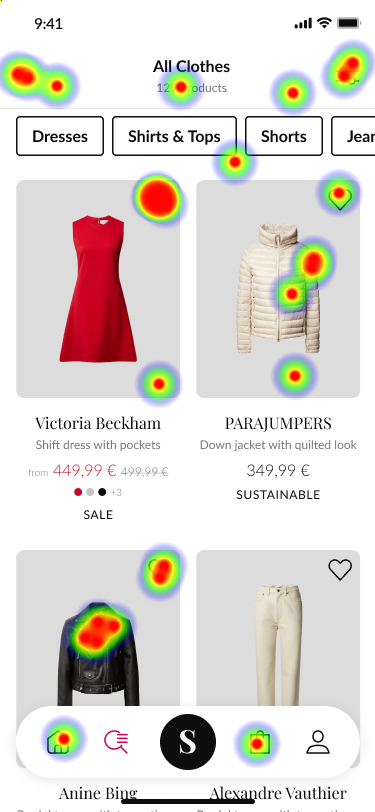
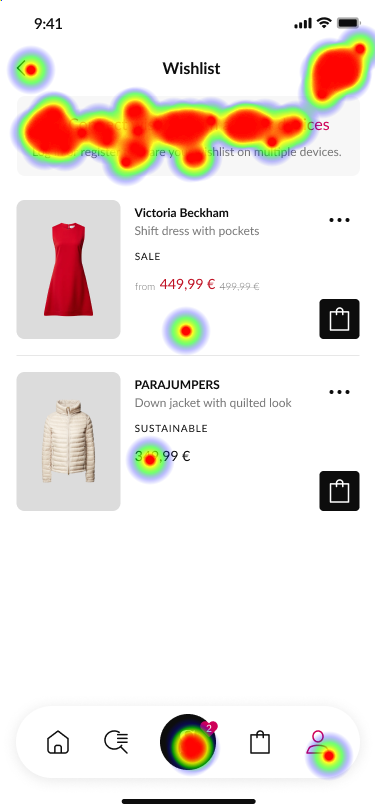
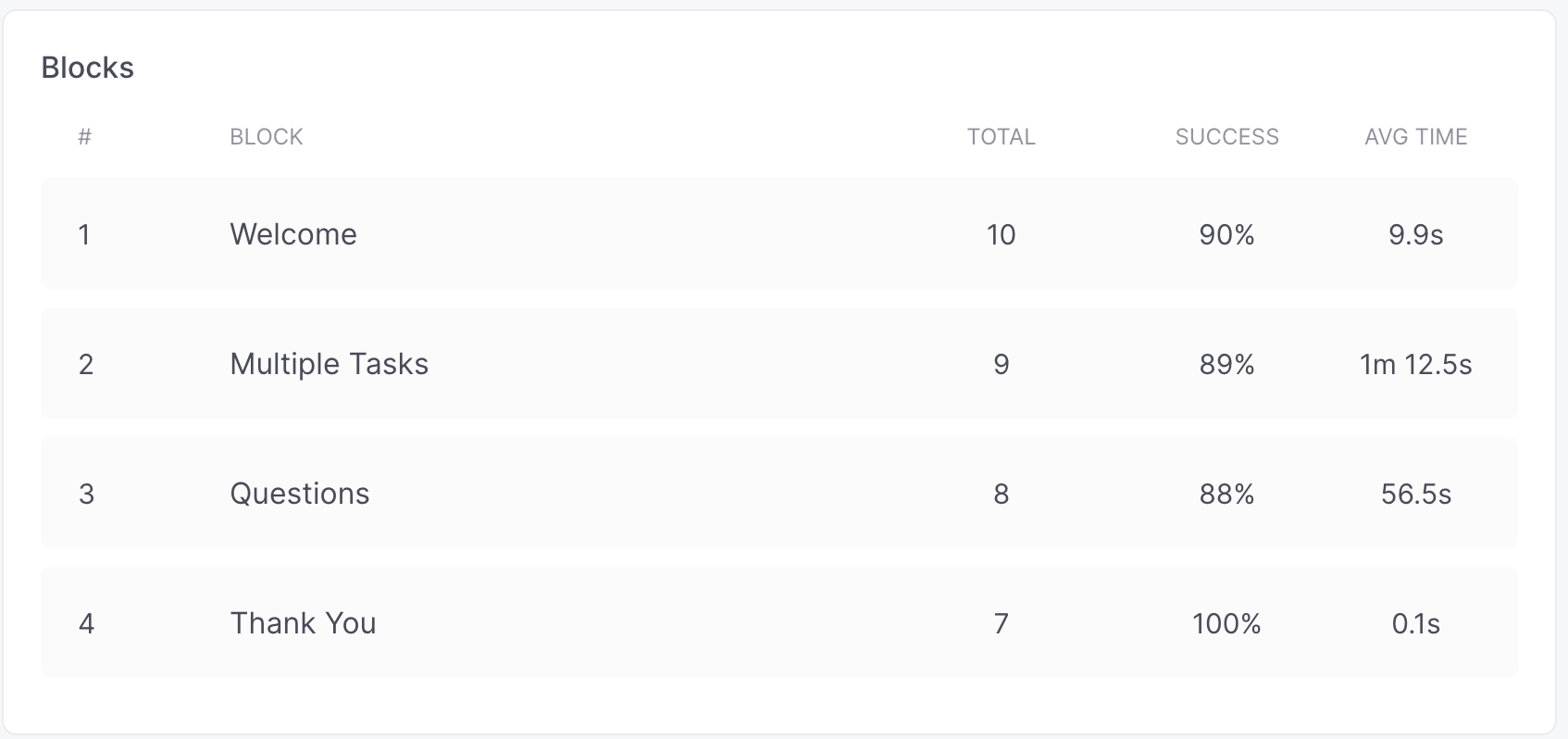
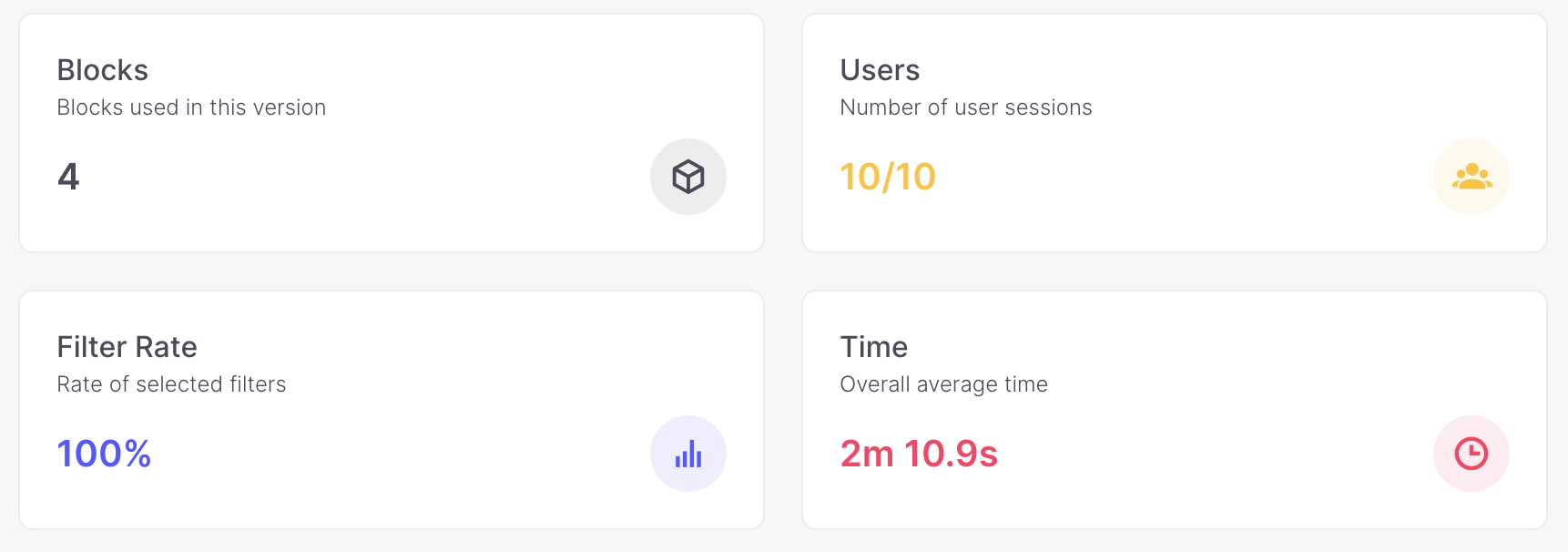
We have tested the prototype with 10 testers. The criteria were the following: 25-45 years, mixed-gender, minimum device requirements: the smartphone. People who are shopping online. Different ranges of income. We gathered feedback from the users and clustered this feedback into groups in terms of priority. The test has been done with the Useberry testing, too. Tested were 3 scenarios and 3 questions were tested in a survey form.
––––– Flowcharts
As the next step, together with developers, I have created the use cases and flows needed for proper development. Below some examples:
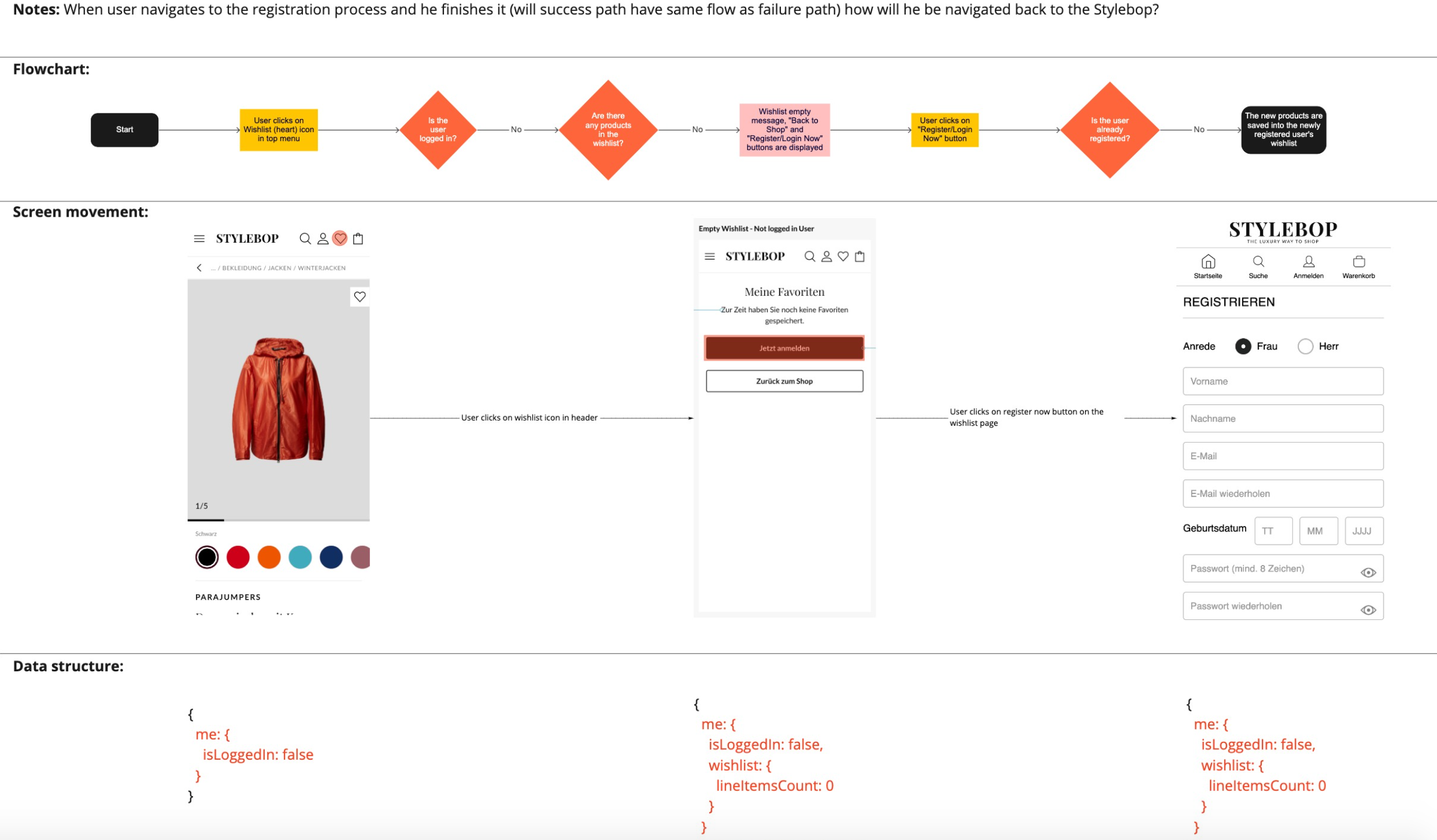
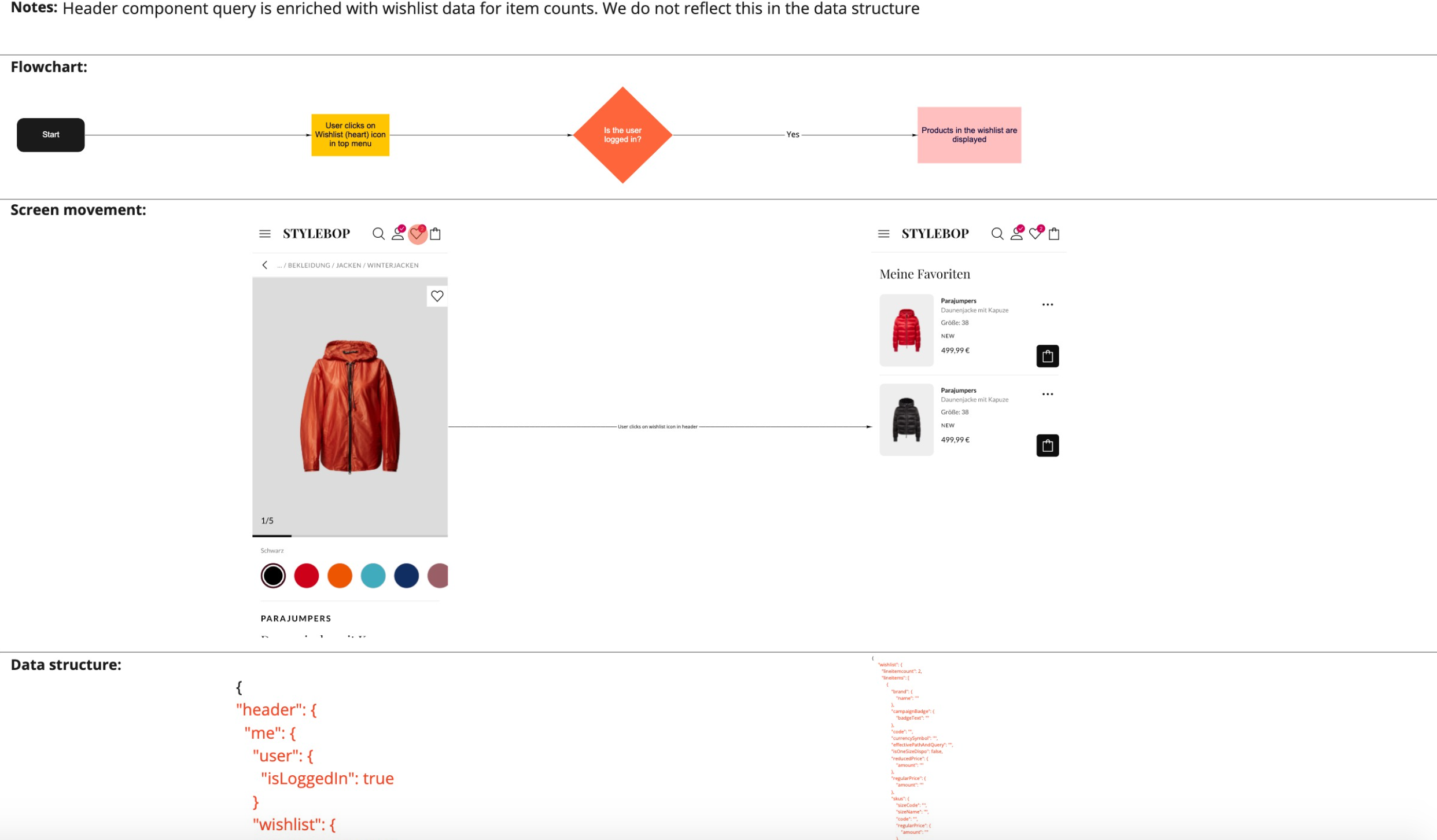
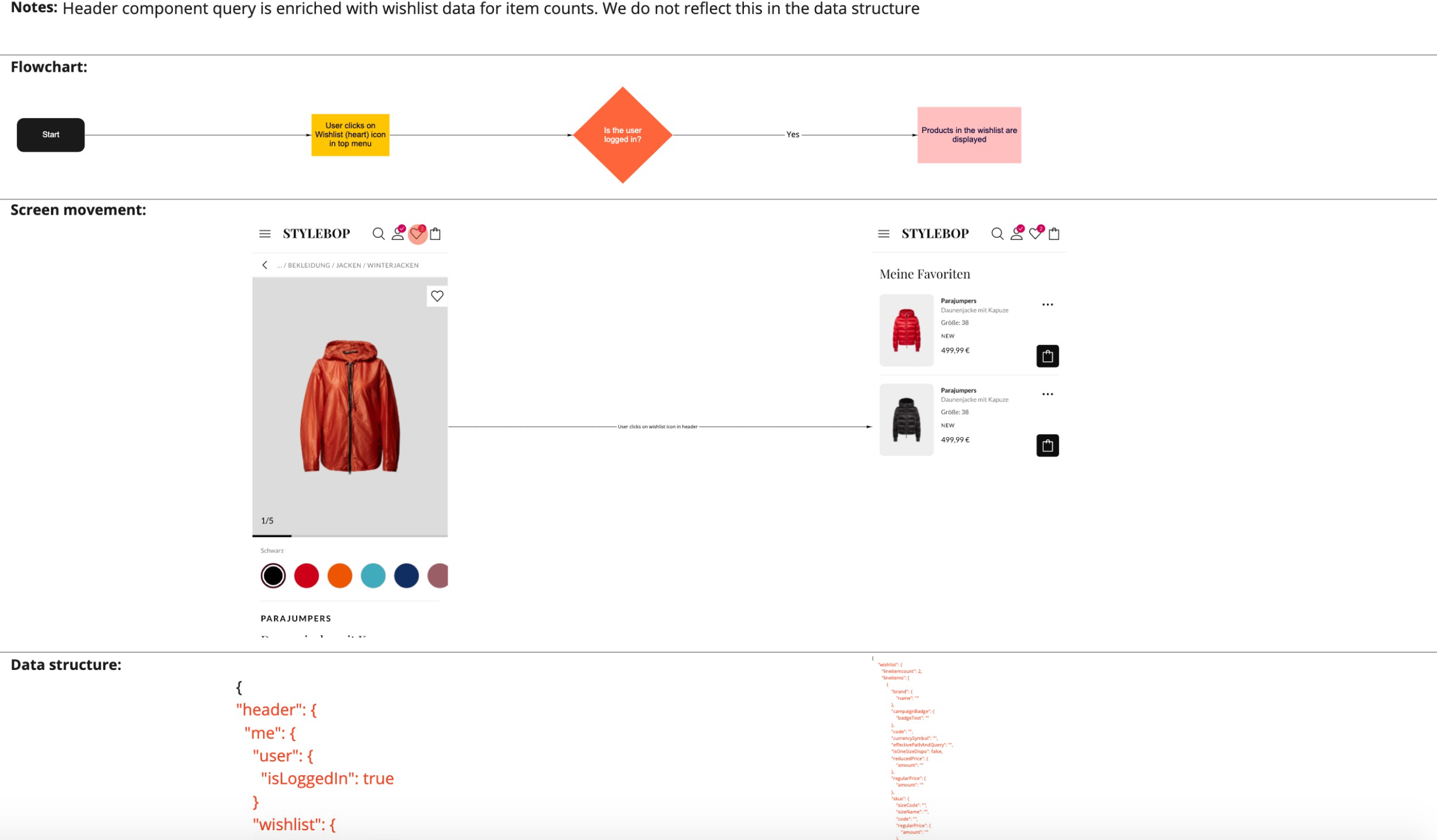
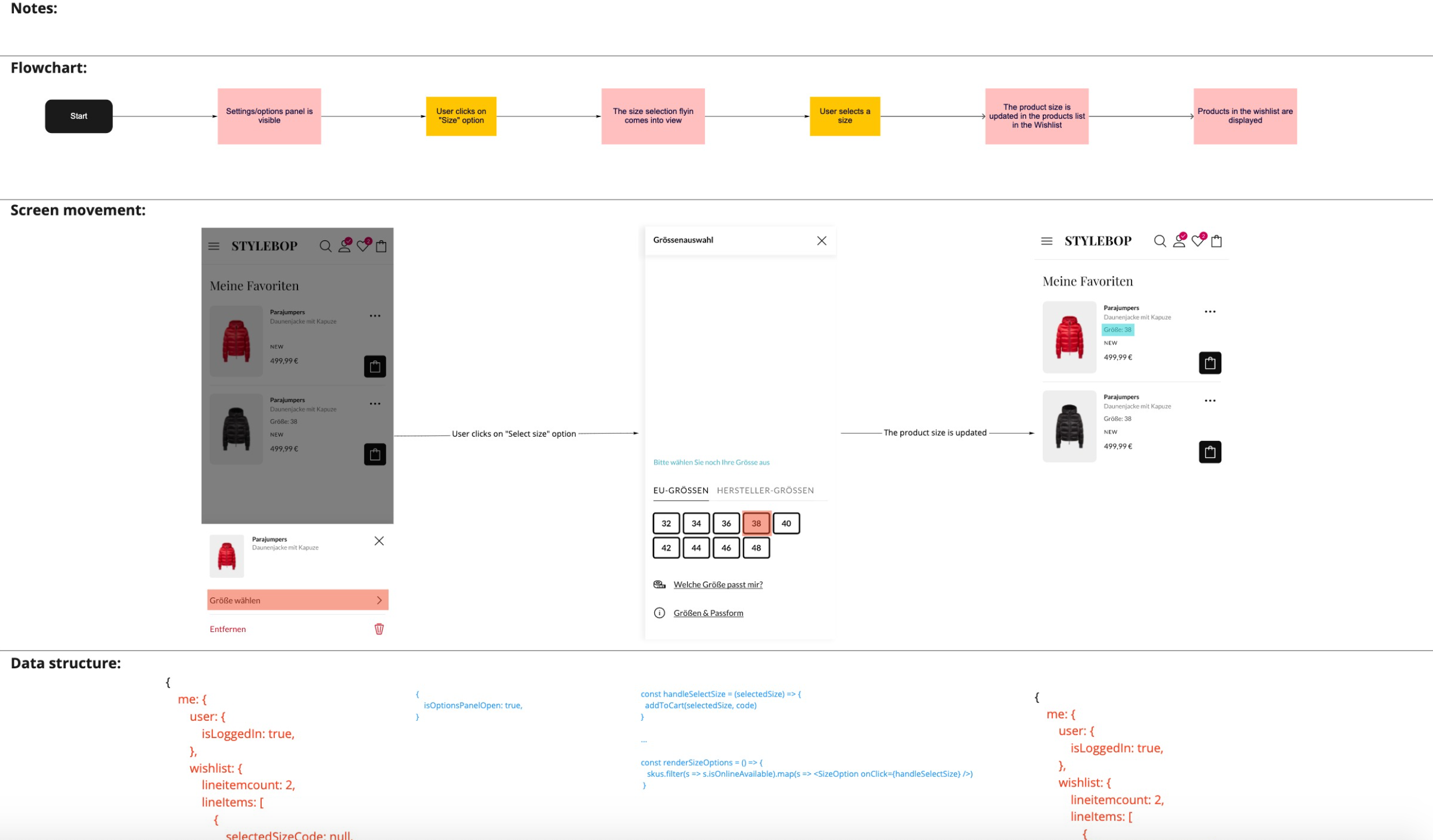
Examples of Flowcharts
Selected Works